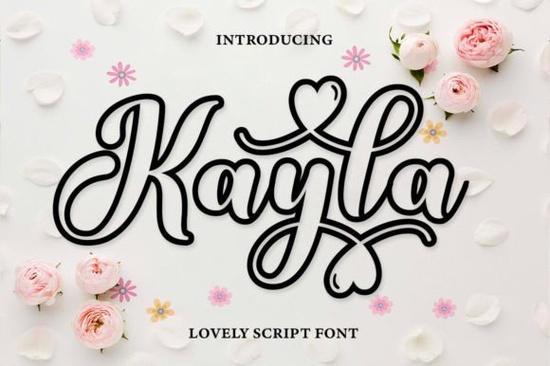
Sometimes a project calls for a font that feels handwritten, friendly, and just a little playful without being messy. Kayla Outline fits that need perfectly. It’s a cute outline script font with warm, rounded strokes and a casual bounce that mimics real penmanship. Whether you’re designing wedding invitations, social media graphics, or print-on-demand merch, this font brings a soft, romantic energy that still stays legible.
What makes Kayla Outline different from solid handwritten fonts?
Kayla Outline isn’t filled in the letters are drawn as clean, outlined shapes. That makes it super flexible for crafts and DIY projects. You can leave it hollow for a delicate look, color it in manually, or layer it over photographs and patterns. Because it’s transparent inside, your background peeks through, which works beautifully on mugs, tote bags, or framed quotes. The font still carries the same whimsical personality of a filled script, but the outline style gives you more creative control over texture and color.
Does the font include language support and special characters?
Yes. Kayla Outline is PUA encoded, which means you can access extra glyphs and swashes without professional design software. It also comes with full language support for many European languages. If you’re selling printables or custom products to an international audience, that’s a big plus accents and special letters render smoothly. You won’t need to patch together missing characters from other fonts.
How do crafters and small business owners actually use it?
The outline style opens up a lot of hands-on possibilities. Here are a few ways people put Kayla Outline to work:
- Print-then-cut designs: Use it in Cricut or Silhouette projects. You can draw the outline with a pen or foil quill, then leave it as is or fill it in with markers.
- Branding and packaging: Small shops love it for logo rough drafts, product tags, or thank-you cards. It gives a handmade feel without looking amateur.
- Sublimation and DTF prints: The hollow letters keep your fabric visible underneath, which is great for lightweight apparel or tote bags.
- Scrapbooking and journaling: Print it on vellum or colored paper and layer it over photos.
Because the font is versatile and friendly, it fits weddings, baby showers, and cheerful everyday projects equally well.
Which Creative Fabrica fonts pair well with Kayla Outline?
Pairing an outline script with a solid font creates a clear visual hierarchy. You can use Kayla Outline for the headline and a simple sans serif or a chalky font for the body text. If you browse other script fonts on Creative Fabrica, a few stand out as nice companions.
For a totally different playful vibe, Strawberry Font has a chunky, juicy look that contrasts well with Kayla’s light outline. We have a whole article on how strawberry-inspired letterforms work in summer designs if you want to explore that further.
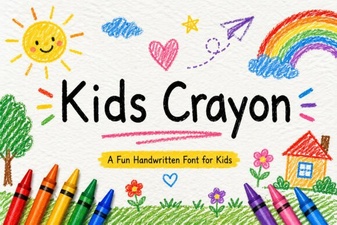
When you need something that feels like a child’s handwriting, Kids Crayon Font is a natural choice. Its textured, imperfect strokes pair nicely with Kayla Outline’s neat bounce. You can read more about using crayon-style fonts for classroom and party projects.
If you want an elegant, decorative alphabet for formal stationery, Stylish Alphabet Font offers intricate details that complement the simplicity of an outline script. Our guide on stylish alphabet fonts for branding has more ideas.
Another soft handwritten option is Book Signature Font, which mimics the look of a signed bookplate or personal note. See how signature-style fonts add warmth to author pages.
For a more modern, slightly quirky handwritten font, Juicy Come Font works well. Its fluid lines and casual rhythm balance Kayla’s structured outline. Check out our post on juicy handwritten fonts for bold logos to see it in action.
Is the font easy to install and use on both Windows and Mac?
Yes. Kayla Outline comes in standard OTF file format. On Windows, you right-click the font file and choose “Install.” On Mac, double-click and hit “Install Font.” It shows up in any program that uses system fonts, from Adobe Illustrator and Photoshop to free tools like Canva (if you’re on a Canva Pro plan that supports uploaded fonts). The PUA encoding means all those extra swirls and alternates are just a character map away no complicated software needed.
Can you use Kayla Outline for commercial purposes?
Creative Fabrica fonts usually come with a commercial license when you download them through your subscription or purchase. You can use Kayla Outline on products you sell, including physical items like t-shirts, mugs, and cards. Always double-check the specific license terms included with your download, especially if you plan to use it for digital resale or embedded third-party products. For most small business owners and POD sellers, the standard license covers exactly what they need.
Quick start checklist for Kayla Outline
- Download and install the OTF files on your computer.
- Open your design software and type a sample phrase.
- Open the glyphs panel (or Character Map on Windows / Font Book on Mac) to browse alternates and swashes.
- Experiment with filling the outline: try a white fill on dark backgrounds or a pastel fill for a soft look.
- Pair it with a simple solid font for body copy and test a small print before producing in bulk.
Test the font on two different materials for example, a glossy sticker paper and a textured cardstock to see how the outline reads. You’ll quickly get a sense of its sweet spot for your typical projects.
Try It Free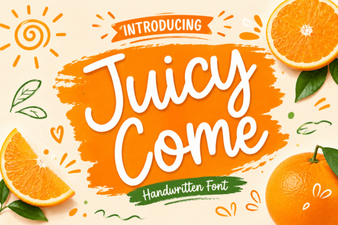 Juicy Come Font: Creative Typography Inspirations
 Creative Kids Crayon Font Ideas for Playful Projects
 Winky Swing Font: Playful Typography for Creative Projects
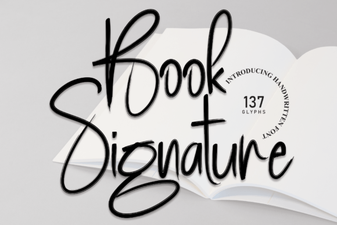 Best Book Signature Fonts for Authentic Authorial Style
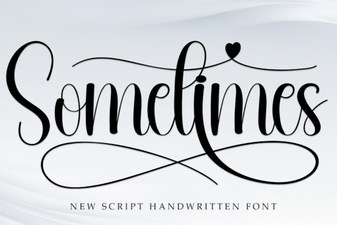 Sometimes Font: Creative Display Typography Ideas
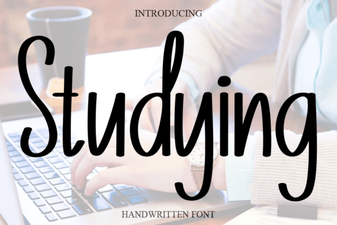 How Studying Font Boosts Design and Usability