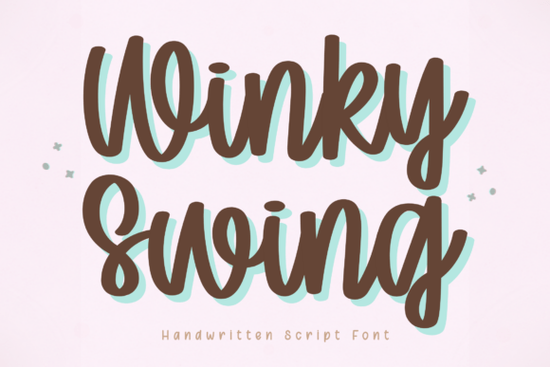
If you spend time creating with a cutting machine, designing digital planners, or building a small brand identity, you know how hard it can be to find a handwritten script that feels warm and playful without turning into a sloppy mess. Winky Swing sits right in that sweet spot. Its slightly bouncy letterforms and clean stroke contrast make it an easy pick for crafters, POD sellers, and anyone who wants a friendly voice in their visuals.
What makes Winky Swing a good fit for Cricut and other cutting machines?
Crafters who rely on vinyl cutters and die-cutting machines need fonts that are built for clean results. Winky Swing’s outlines are smooth enough to give you precise cuts without snaggy edges or thin spots that tear during weeding. When you send a design to your Cricut or Silhouette using this font, the blade path stays predictable, so even smaller text holds up. The bounce in the baseline adds personality, but the letter connections are sturdy a balance that keeps your finished decal or heat transfer looking crisp rather than fragile.
Will it stay readable in a digital planner or on a small screen?
Clarity matters as much as charm, especially when you’re journaling, filling a planner, or building a mobile-friendly graphic. Winky Swing’s tall x-height and open counters help it stay legible at 10–12 pt sizes, which means you can use it for body snippets and not just titles. The handwritten flow doesn’t sacrifice letter recognition, so your daily schedule or sticker sheet remains easy to scan. If you’ve tried script fonts that get too tight or start to blur on export, you’ll appreciate how this one behaves inside apps like GoodNotes or Notability.
How do small businesses put this kind of font to work?
A playful script can set the tone for a brand instantly. Winky Swing’s friendly rhythm works well for logos, product tags, social graphics, and even packaging where you want to say “handmade” or “approachable” without shouting. Because the letterforms are consistent and the bounce is controlled, you can repeat the font across different materials printed stickers, Instagram stories, email headers and still keep a cohesive look. Pair it with a clean sans-serif for the body copy, and you’ll have a ready-to-use branding kit that feels personal, not generic.
Does it work for print-on-demand designs?
Sellers on platforms like Etsy, Redbubble, or Printful often need fonts that can hold up on mugs, totes, and apparel. Winky Swing’s even contrast and well-spaced characters prevent the ink from pooling or fading in typical DTG or sublimation prints. The lighthearted energy of the font also tends to attract the kind of buyers looking for gift items, seasonal decor, or motivational quotes. When you’re mocking up a design, you’ll find the font reads well at various sizes, so the same file can work for a throw pillow and a phone case without needing a total rework.
How does Winky Swing compare to other playful script fonts?
If you like the lively movement here but need something with a different weight or structure, a few alternatives might come in handy. For a more outlined, decorative twist, Kayla Outline offers a hand-drawn look that stands out on dark backgrounds. When you want a script that’s gentle and understated perfect for wedding or baby shower projects Studying Font brings a delicate, quiet charm. Another friendly choice with a slightly straighter posture is Sometimes, which almost feels like neat penmanship on ruled paper. And if you need a bolder, juicier statement for headlines or large signage, Juicy Come pushes the playfulness even further while staying legible. Winky Swing sits right in the middle of that family playful but practical, and just bouncy enough to feel human.
For a closer look at what gives handwritten fonts their staying power in modern design, Smashing Magazine’s breakdown of Winky Swing within the larger trend is worth a read.
What should you check before downloading this font?
It’s easy to download a new font and immediately drop it into a project, but a quick check can save you from frustration later on. Run a short test phrase in the software you use most, whether that’s a cutting machine design space, a planner template, or a social media mockup. Look at the connection points between letters like “o” and “n” or “r” and “e” to make sure they match your taste. If you plan to use it for cutting, send a small test cut on the same material you’ll use for the final piece. Once you see how the bounce behaves in your exact context, you’ll know exactly how to make Winky Swing work for you.
Try It Free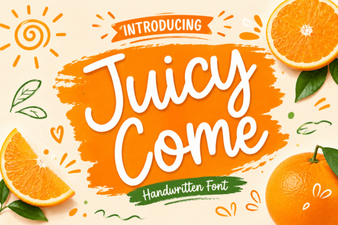 Juicy Come Font: Creative Typography Inspirations
 Creative Kids Crayon Font Ideas for Playful Projects
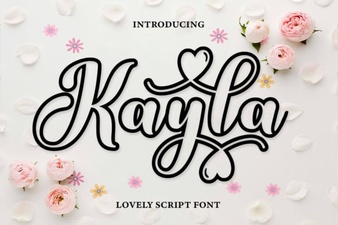 Kayla Outline Font: Creative Design & Project Ideas
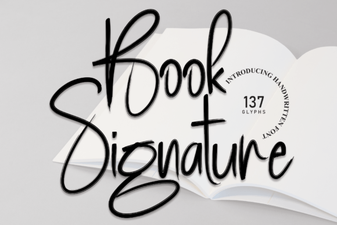 Best Book Signature Fonts for Authentic Authorial Style
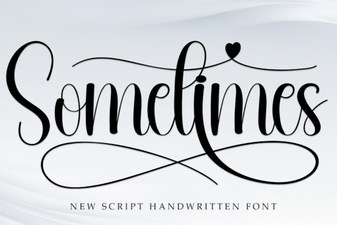 Sometimes Font: Creative Display Typography Ideas
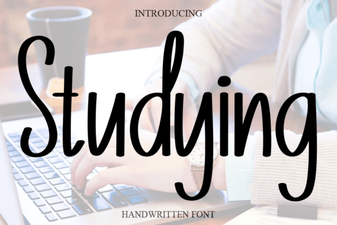 How Studying Font Boosts Design and Usability