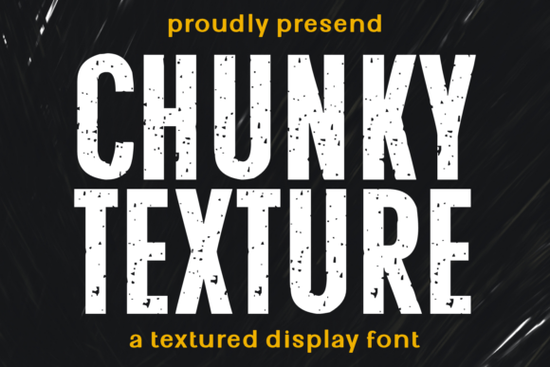
Grunge fonts bring an immediate sense of texture and history to a design, and Chunky Texture is one that truly commits to the look. Its bold, distressed lettering carries a handcrafted roughness that works especially well when you want a brand or product to feel honest, tough, and authentic without trying too hard.
This is a display typeface built for headlines, logos, and short bursts of text where impact matters more than readability at small sizes. The worn, almost stamped effect gives every word a tactile quality that can translate beautifully onto screen-printed apparel, packaging, or signage.
What kind of projects does this chunky grunge font suit best?
Chunky Texture feels most at home in spaces where imperfection is part of the charm. Think industrial branding, automotive graphics, outdoor gear, barbershop logos, or coffee roaster packaging. The rough edges and speckled texture suggest something lovingly used like a vintage work jacket or a weathered workshop sign.
Some of the most natural fits include:
- Gym and streetwear apparel – hoodies, caps, and muscle tees that need a bold, no-nonsense statement.
- Coffee and craft product packaging – labels and pouches where a bit of grit makes the product feel artisanal and small-batch.
- Barbershop and tattoo studio branding – window decals, loyalty cards, and social media graphics that lean into a masculine, retro vibe.
- Automotive and workshop posters – event flyers or garage signs that celebrate mechanical heritage.
- Tote bags, patches, and merchandise mockups – textured fonts pop beautifully on fabric and textured paper.
Because the font carries so much character on its own, it often works best as a hero element rather than a supporting player. Let it dominate a layout, and keep the surrounding graphics simple.
How do I pair a heavily textured font with other typography?
When you use a distressed display font, the supporting type should step back and create breathing room. Pair Chunky Texture with a clean, neutral sans-serif for body copy or small details. A monoline script can also work if you’re aiming for a balanced rough-with-refined look, but avoid combining multiple textured fonts the result can get messy fast.
Color choices make a difference too. The font’s worn texture shines when printed on uncoated paper or simulated on matte mockups. Dark inks on light, fibrous backgrounds enhance the eroded effect, while crisp digital screens can sometimes make the distress feel artificial. Test your final output on a real material sample whenever possible.
Can I use Chunky Texture for print-on-demand products and branding?
Yes and many print-on-demand sellers find grunge display fonts perform well on T-shirts, mugs, and phone cases. A few things to keep in mind:
- License check – Chunky Texture’s license on Creative Fabrica typically covers physical merchandise for sale, but always confirm the font’s specific terms before listing products.
- Legibility at scale – The bold structure holds up well at larger sizes, but tiny details may fill in or print unevenly on fabrics. Do a test print on a sample product first.
- Mockup realism – Overlay the font on high-quality mockup images that show fabric texture or paper grain to help customers visualize the end result.
Which other Creative Fabrica fonts complement a rugged, masculine look?
Sometimes a single font isn’t enough to cover every brand touchpoint. If Chunky Texture handles the heavy lifting on your headline, you might want a slightly softer hand-drawn style for subheadings or a contrasting clean sans for web use. Here are a few display fonts that live in a similar design neighborhood but each have their own personality:
If your project could benefit from a warm, imperfect charm without the heavy distress, Jennies House brings a friendly hand-lettered feel that still feels genuine and crafted. For logos that need a more streamlined, minimalist edge, the Designer font family offers clean lines that can sit alongside a gritty hero font without competing. When you need a touch of summery, laid-back contrast say for a coastal brand or a seasonal promotion Laguna Tropic introduces a relaxed tropical script that softens an otherwise tough aesthetic. Around the holidays or for quirky short-run merch, a playful shape like Grinched 2.0 can inject seasonal character while still keeping a hand-drawn attitude. And for a timeless sports-inspired block letter option, College Black delivers a sturdy, collegiate voice that pairs naturally with industrial themes.
Mixing fonts from the same extended family keeps your brand vocabulary cohesive. You don’t need to use them all pick one or two that fill a functional gap while sharing that handcrafted, no-fuss spirit.
What should I check before printing or publishing with a textured font?
Textured fonts can surprise you on different media. Before you commit to a full run or publish a digital asset, go through a quick quality check:
- Scale it up and down – look at the font at the smallest and largest sizes you’ll actually use. The distressed specks should remain visible but not overpowering.
- Check contrast – on dark backgrounds, the texture may get lost. A slightly tinted distress effect (rather than pure black) can help it stand out on both light and dark surfaces.
- Convert to outlines – before sending a design to a printer, outline the text to avoid font substitution issues.
- Test on real product mockups – even a few minutes inside a free mockup generator can reveal whether the grit looks authentic or forced.
Ready to put Chunky Texture to work? Here’s a quick-start checklist
- Pick one hero design (logo, T-shirt graphic, or packaging front) where the font can take center stage.
- Pair it with a single clean sans-serif no other distressed fonts in the same layout.
- Choose a matte, textured background (or mockup) to let the worn effect breathe naturally.
- Confirm the license covers your intended use commercial, POD, or client work.
- Print a small sample or view at actual size on screen before finalizing the design.
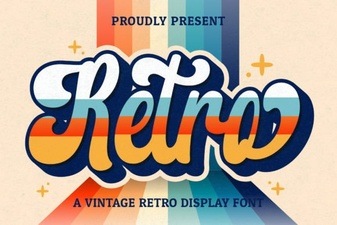 Retro Script Fonts: Add Classic Charm to Your Designs
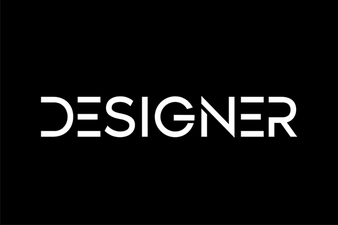 Inspire Creativity with Stunning Designer Fonts
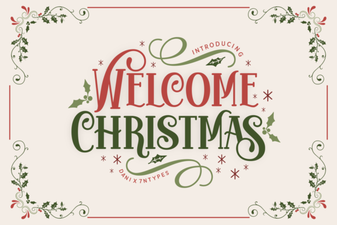 Welcome Christmas Font: Festive Typography & Design
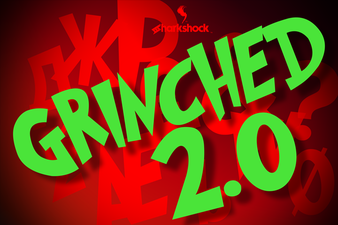 Grinched 2.0 Font: Playful Typography for Creative Projects
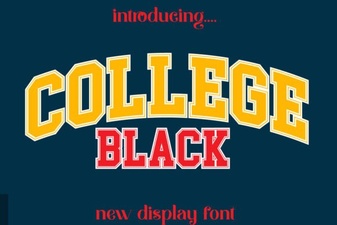 Bold College Black Font Styles for Modern Designs
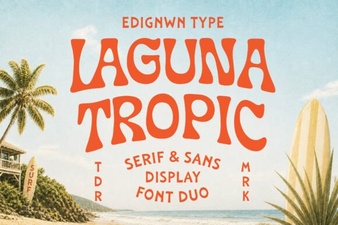 Laguna Tropic Font: Project Ideas & Design Inspiration