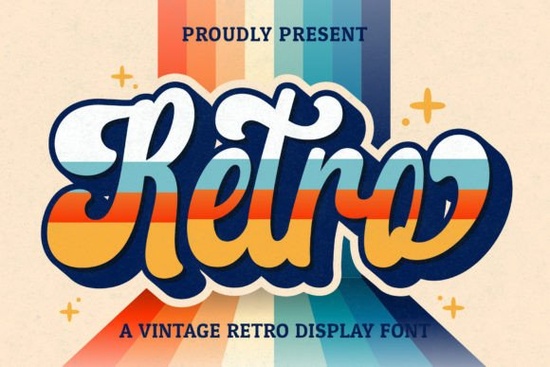
If you’re looking for a typeface that instantly brings a warm, handcrafted vintage feel to your designs, Retro Script Font is an easy yes. This cool handwritten script blends old‑school charm with a clean, legible flow. It works for so many creative projects you can use it on logos, product packaging, invitations, stationery, wedding materials, social media graphics, and much more.
What kind of style does Retro Script Font bring?
It leans heavily into the retro / mid‑century handwritten look. The letters feel slightly bouncy, with uneven baselines and natural stroke endings that mimic a real pen or brush. You won’t get that stiff, perfect-digital feel. Instead, the font gives your text a relaxed, authentic, almost advertisement‑from‑the‑1950s vibe. If you design for coffee shops, barbers, bakeries, or any brand that wants to feel approachable and nostalgic, this is a strong fit.
Which projects really shine with a retro script like this?
Designers, crafters, and small business owners get a lot of mileage from this font. Here are some common uses:
- Logos & branding: Perfect for hip, vintage‑themed brand marks.
- Wedding suites: Invitations, save‑the‑dates, place cards, and signage feel romantic and handmade.
- Print‑on‑demand: T‑shirts, mugs, tote bags this font adds personality without looking generic.
- Social media posts: Quote graphics, announcements, and stories get an instant boost of nostalgia.
- Stationery & packaging: Labels, thank‑you cards, and product tags feel special and crafted.
Is Retro Script Font good for logos?
Absolutely. A logo needs to be memorable, and the hand‑drawn character of Retro Script does that naturally. The font includes a full set of uppercase and lowercase letters, numerals, and punctuation, so you can build a complete wordmark. Plus, it’s PUA encoded that means all those extra swashes, alternates, and special glyphs are right inside the file. No fancy software needed. You can access them through the glyphs panel in programs like Adobe Illustrator, Photoshop, or even Silhouette Studio.
How to access the swashes and extra glyphs
Because the font is PUA encoded, every alternate character sits in a private use area of the Unicode map. On a Mac, open Font Book, then go to View > Repertoire. In Illustrator or Photoshop, open the Glyphs panel (Window > Glyphs) and just double‑click any swirl, flourish, or alternate letter you want. If you’re working in a simpler program like Cricut Design Space, you might need a character map or to copy/paste from a tool like PopChar, but it’s still very doable. The payoff is huge you can customise headings, add elegant tails to letters, and make every word look bespoke.
What other fonts pair well with this retro script?
Pairing fonts can be tricky, but a few simple combinations give you a professional, balanced look. For a friendly, hand‑drawn contrast, Jennie’s House brings a playful, slightly rustic companion to Retro Script. If you need a bold sans‑serif that makes headlines pop, College Black creates an old‑school sporty vibe that contrasts nicely with the script’s softness. When you’re working on holiday projects, Welcome Christmas introduces festive swashes and a warm seasonal touch alongside the vintage feel. And for a lighter, airier script alternative, Sunspell can handle short quotes or secondary text without competing for attention.
Can I use it for wedding designs and stationery?
Yes, and it’s one of the most popular uses. The flowing, personal feel of a handwritten script suits invitation suites perfectly. You can set the couple’s names in a large, swash‑filled version, then use a clean sans‑serif for the details. Because the font includes so many alternates, you can create a custom look for every invitation no two have to be exactly the same. Place names, table numbers, and menus also get a lovely bespoke touch.
Is it suitable for print‑on‑demand sellers?
Definitely. The font holds up well at various sizes, from large chest prints to small mug designs. The slightly rough, hand‑lettered edges look great on fabric, ceramics, and paper products. One quick tip: when you mock up your designs, try adding a subtle texture or distress effect to match the retro aesthetic it can make the final product feel even more authentic. And because it’s a standard OTF/TTF file, you can use it with all major design tools and print providers without any licensing surprises.
Quick checklist before you download
- Check your software’s glyph support – You’ll want OpenType capability to get the most from the extra characters.
- Experiment with swashes – Even a simple underline or an extended tail on one letter can change the whole mood.
- Pair strategically – Use a clean sans or a simple serif for body copy so the retro script stays readable and special.
- Test at different sizes – The handmade look scales well, but make sure thin strokes don’t disappear on small prints.
Start by typing out a few brand names, a short quote, or an invitation line then play with the alternates until it feels just right. That’s usually all it takes to see why this font becomes a go‑to for vintage‑style projects.
Get Started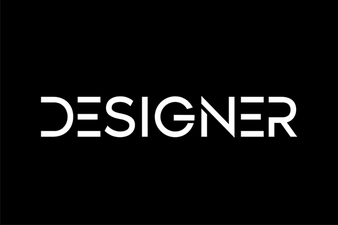 Inspire Creativity with Stunning Designer Fonts
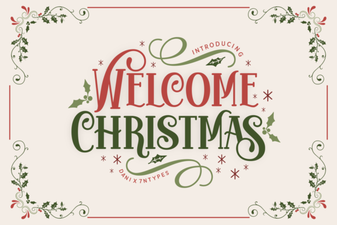 Welcome Christmas Font: Festive Typography & Design
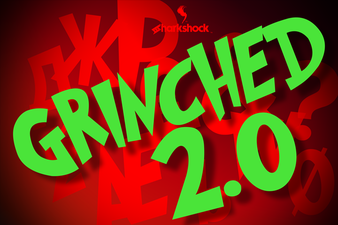 Grinched 2.0 Font: Playful Typography for Creative Projects
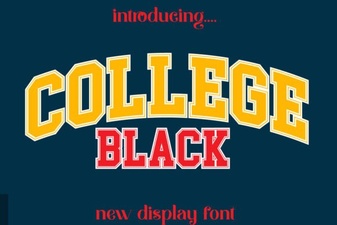 Bold College Black Font Styles for Modern Designs
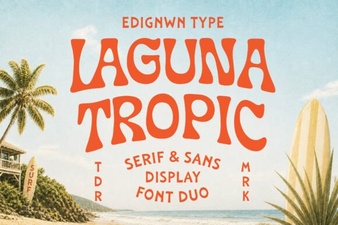 Laguna Tropic Font: Project Ideas & Design Inspiration
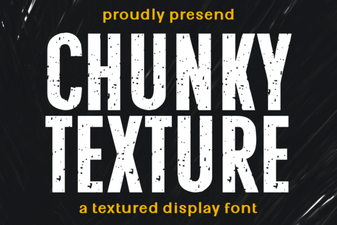 Bold Chunky Texture Fonts for Creative Design Projects