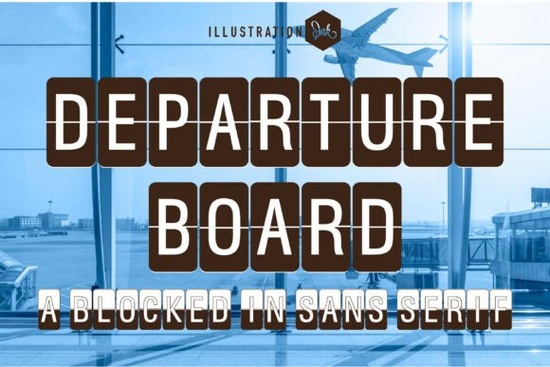
If you’ve hunted for a typeface that instantly transports your design to a bustling international terminal, Departure Board is the missing puzzle piece. This structured specialty display font recreates the split-flap signage of mid-century train stations and airports clean uppercase letters locked inside tall, rounded rectangular capsules, each character neatly divided down the center. It’s an industrial sans serif that blends retro travel nostalgia with modern grid-based minimalism, making it ideal for headlines, signage, branding, and social media graphics that need that unmistakable transit-board punch.
What exactly does the Departure Board font look like?
Think of those mechanical boards that click and flip inside a vintage airport or train station. Departure Board takes that aesthetic and turns it into a functional display font. Every letter is an uppercase, bold sans serif form set inside a rectangular housing with a soft rounded outer shape and a sharp vertical split running through the middle. The result feels both highly technical and oddly human a look that’s equal parts industrial blueprint and wanderlust.
Because it’s an all-caps design, the typeface naturally commands attention. The spacing is tight, the stroke widths are consistent, and the letterforms stay incredibly legible even at smaller sizes. Unlike many decorative fonts that get messy when scaled down, this one holds up on busy product mockups, podcast cover art, or event signage. If you’ve been relying on a softer rounded sans like Sunspell for subheads, switching to Departure Board for key name cards or itinerary headers can instantly sharpen the mood.
Where can I actually use a split-flap departure board font?
The applications stretch far beyond obvious travel projects. Designers, print-on-demand sellers, and small business owners keep finding clever ways to use it:
- Travel blog headers and YouTube thumbnails set city names or taglines in that authentic terminal style.
- Boutique luggage brands and accessories engrave or print hangtags, zipper pouches, and travel journals with a mechanical font that stands out far more than a generic sans.
- Event invitations and save-the-dates a destination wedding suite gains vintage transportation charm when paired with a retro script font for names and addresses.
- Office and café interior signage directional signs, restroom markers, or menu headings feel on-brand with a no-nonsense industrial look.
- Social media quotes and promotional posts the blocky split-flap treatment stops thumbs mid-scroll, especially on platforms like Instagram and Pinterest.
- Print-on-demand merch T-shirts, mugs, and tote bags with fictional departure times or city names printed in this font have a cult travel aesthetic that sells well in POD marketplaces.
Is the font truly uppercase only?
Yes Departure Board is designed as an uppercase-only typeface, and that’s part of its charm. Real split-flap boards rarely used lowercase, so the font stays faithful to the source material. You get a full set of capital letters A–Z, numerals, basic punctuation, and a handful of special characters. If you type in lowercase, most programs will either automatically switch to uppercase or show the same letters. This means the rhythm of every word stays consistently blocky and wide, perfect for short lines of text like gates, platforms, or flight codes.
Do I need special software to use it?
Not at all. The font files (usually OTF and/or TTF) work right inside any standard design tool. You can install it on Mac or Windows and use it in Adobe Photoshop, Illustrator, Canva, Cricut Design Space, Procreate, or even Microsoft Word. For Cricut crafters, the clean straight lines of the capsules cut beautifully from vinyl or cardstock no excruciating weeding moments. In Canva, simply upload the font file if you’re on a Canva Pro plan, and you’re ready to type those split-flap headers directly in your designs.
If you’re already working with a curated folder of designer display fonts, this one slides in seamlessly. Its geometric structure pairs well with both minimal grids and more expressive hand-drawn elements.
What pairs well with the Departure Board font?
Because it’s so structured, Departure Board works best when you let it dominate the hero spot. Use it for the main headline or the largest type in your layout, then reach for quieter typefaces to support it:
- Pair it with a neutral sans serif (like Helvetica or Inter) for body text the contrast makes Departure Board feel even more impactful without competing.
- For a touch of warmth and personality, add a welcoming display font in a secondary line perhaps a softly handwritten “Welcome to” above a destination name in the split-flap style.
- Need a holiday twist? While Departure Board itself isn’t festive, you could use it to show a “North Pole Express” sign and pair it with a more playful whimsical holiday font on the same artwork.
- In branding, a retro travel poster might combine Departure Board with a mid-century serif for body copy and a soft illustrated background.
What about commercial use and POD licensing?
The font is available exclusively through Creative Fabrica, where licensing is refreshingly straightforward. Most designs intended for personal and small commercial use are covered by the standard single-font license. Print-on-demand sellers can typically use it on physical products they sell without needing an extended license but it’s always smart to check the specific license tier at checkout. If you plan to use Departure Board inside a logo or a trademark, you’ll likely need the full commercial license. The product page spells out exactly what’s allowed, so you never have to guess.
How do I get started with the split-flap look today?
After you download Departure Board, run a quick test. Open a blank artboard in your preferred app, type a short line in all caps something like “GATE 14 – DEPARTING” and set it large. Notice how the vertical splits create a natural rhythm across a sentence. Try applying a subtle inner shadow or a slight gradient to mimic the look of visible light behind a real flip board. You’ll find the font already does most of the work; a few tweaks and you’ve captured that distinctive travel-board soul without any plastic or spinning parts.
Here’s a quick checklist before you install:
- Verify file format OTF and TTF are both included; make sure your software accepts them.
- Test at multiple sizes from tiny tag text to large headline, so you’re confident it stays clean.
- Plan your uppercase habit remember, typing “hello” automatically gives you “HELLO,” so craft your copy with that in mind.
- Try a mockup slap it onto a luggage tag or a poster template to see how it interacts with real-world textures.
- Double-check the license if you’re selling end products, confirm you’ve picked the right tier for your project.
Once you’ve nailed that split-flap style, you’ll find yourself reaching for Departure Board whenever a project needs to feel grounded, international, and a little bit nostalgic.
Download Now Retro Script Fonts: Add Classic Charm to Your Designs
 Inspire Creativity with Stunning Designer Fonts
 Welcome Christmas Font: Festive Typography & Design
 Grinched 2.0 Font: Playful Typography for Creative Projects
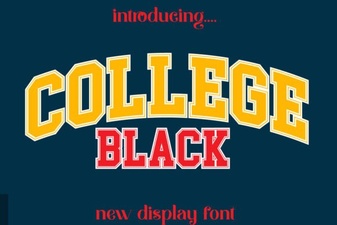 Bold College Black Font Styles for Modern Designs
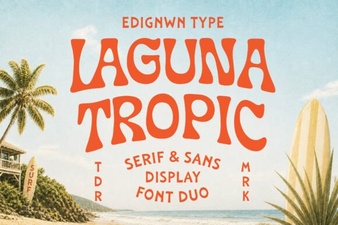 Laguna Tropic Font: Project Ideas & Design Inspiration