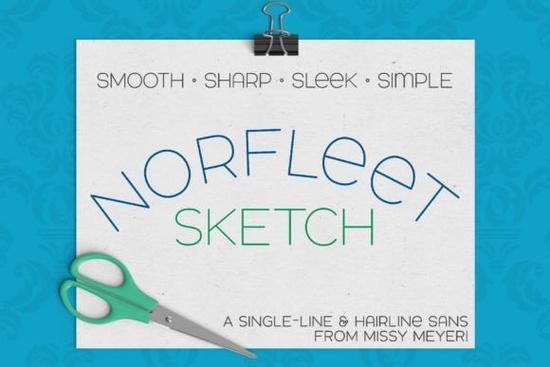
If you’ve ever tried using a regular font with a sketch pen, foil quill, or engraving tool, you know the frustration of thick outlines that draw double lines instead of a single crisp stroke. That’s where a purpose-built single-line font like Norfleet Sketch (single Line) Font comes in. It’s a clean, elegant sans-serif designed from the start to be drawn in one continuous line ideal for infusible ink pens, scoring, engraving, and any project where a single-thread path matters. Unlike hacking an outline font to work, Norfleet Sketch gives you a smooth, minimal-node path your machine can follow without extra editing.
What’s the difference between Norfleet Sketch One and Norfleet Sketch Two?
This font family gives you two distinct file types, both labeled clearly. The choice comes down to your software and how much tweaking you’re willing to do.
Norfleet Sketch One true single‑line
Sketch One is built as a genuine single-stroke font. Each letter is a single open path with a start and an end point. In CNC specialty programs like Rhinoceros, it works right out of the box. If you’re using Illustrator, Inkscape, or Affinity Designer, the program will usually connect the start and end points automatically, creating a closed shape. Proficient vector users can fix that by removing the connecting segment but it takes a few extra minutes.
Norfleet Sketch Two hairline outline
Sketch Two is a hairline font, meaning the strokes are outlines so thin they look like a single line on screen and when drawn. This version requires zero tweaks. Just type and go in Cricut Design Space, Silhouette Studio, CorelDRAW, Adobe Illustrator, Inkscape, Affinity Designer, and most other crafting software. Because the strokes are technically closed paths, the pen or stylus will trace the inner and outer edge of each line, but the gap is so tiny the result reads as one clean line.
Which software and machines work best with this font?
Both versions cover a broad range of setups. If you’re a hobby crafter using a Cricut or Silhouette machine, stick with Sketch Two. It’s plug‑and‑play for sketch pens, foil quills, and infusible ink markers. Digitally, Sketch Two runs smoothly in Adobe Illustrator, CorelDRAW, Inkscape, and Affinity Designer.
Sketch One is ideal if you work in a CNC environment (Rhinoceros, for instance) or need a true single‑line SVG path for laser scoring on a Glowforge. It also works in vector design programs if you’re comfortable editing node connections. One note: Due to known issues with Brother Canvas Workspace, compatibility isn’t guaranteed for either version there.
Can I use single‑line fonts for regular printing or cutting?
No and that’s intentional. Single‑line and hairline fonts aren’t built for typical word processing, print‑and‑cut projects, or standard vinyl cutting. They exist for drawing, scoring, embossing, engraving, and any process that uses a stylus, pen, or nib to trace a hairline path. If you’re doing normal vinyl decals or print layouts, you’ll want a standard outline font instead.
What kind of projects shine with a single‑line sans‑serif?
Norfleet Sketch’s wide, modern stance makes it a natural fit for clean, readable results in:
- Sketch‑pen cards and gift tags
- Foil‑quill heat‑transfer designs
- Infusible ink pen mug and tote artwork
- Engraved wood, acrylic, and metal signs
- Laser scoring on leather or paper
- Minimalist wedding stationery (invitations, place cards)
Because it’s a double‑uppercase font with variant lowercase shapes like a round‑topped A and an alternative e you can mix letters for a custom look while keeping the overall vibe cohesive.
How does Norfleet Sketch compare to other clean sans‑serif fonts?
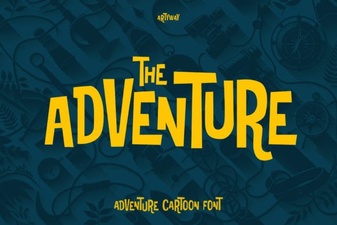
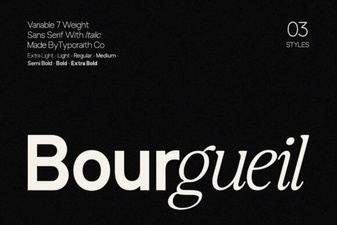
If you love the airy, wide proportions of Norfleet Sketch but need a standard outline font for headings or print work, a few similar faces can pair beautifully. The Sunflower font shares a cheerful, open sans‑serif structure that works well for bold titles. For a more compact geometric feel, Bouldy brings a rounded, friendly personality. When you’re chasing something with a bit more elegance, Bourgueil offers refined letterforms that contrast nicely with the minimal sketch style. And for a dash of hand‑lettered energy, Adventure makes a playful partner.
You can find all of these on Creative Fabrica Sunflower, Bourgueil, Bouldy, and Adventure each bring their own twist to the clean sans‑serif table.
How do I get started without confusion?
Every purchase of Norfleet Sketch includes a PDF guide that walks you through picking the right version based on your software. Read that first it saves trial‑and‑error time. You can also preview the font’s single‑line pathways and test a few characters directly on the Norfleet Sketch product page.
Quick practical checklist before you run your first project:
- Open the PDF guide included in your download.
- Identify your software (Cricut, Silhouette, Illustrator, etc.) and choose Sketch Two for most crafting apps, or Sketch One for CNC and vector‑editing pros.
- Install the correct font file, then type a short test word in your design workspace.
- If using Sketch One in a vector editor, check for unwanted connections between glyph start and end points delete or break those segments.
- Always test on scrap material before committing to your final surface. A quick pen‑pressure and speed adjustment can make a noticeable difference.
When you’re ready to pick up Norfleet Sketch, you’ll have both file types and a clear path to clean, single‑line drawing that actually looks as sharp as you envisioned.
Try It Free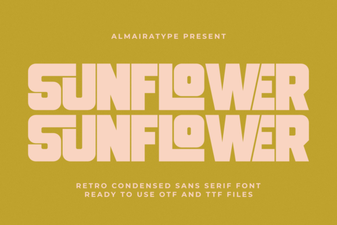 Creative Sunflower Fonts for Joyful Design Projects
 Adventure Fonts: Creative Typography for Bold Designs
 Bourgueil Font: Creative Typography for Elegant Design Projects
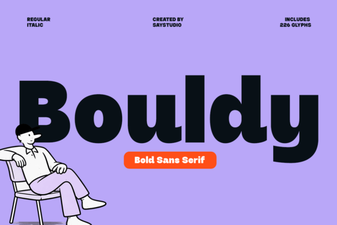 Bouldy Font: Chunky Serif for Eye-Catching Headlines
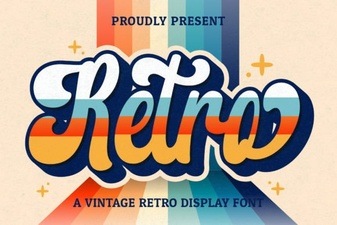 Retro Script Fonts: Add Classic Charm to Your Designs
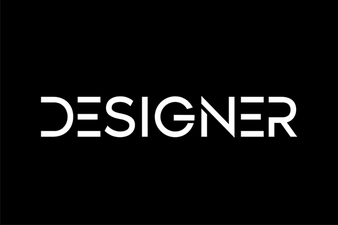 Inspire Creativity with Stunning Designer Fonts