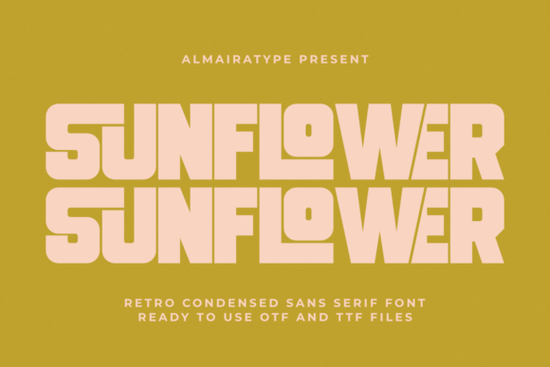
What is the Sunflower font best used for?
Sunflower is a bold, compressed sans serif built around tight spacing and geometric curves. Its x-height and narrow proportions keep text readable even at smaller sizes, which is why it’s a go-to for designs that need to grab attention fast. Here are a few real‑world uses where it shines:
- Streetwear and apparel graphics – the condensed lettering looks right at home on t‑shirts, hoodies, and caps.
- Product packaging – create labels, boxes, or pouches that pop on crowded shelves.
- Posters and social media visuals – high contrast and tight spacing make headlines feel energetic.
- Logo lock‑ups – combines well with script or minimal iconography for brands with a nostalgic edge.
- Die‑cut stickers and decals – the clean vector outlines simplify weeding (more on that below).
Because of its condensed build, Sunflower saves space without feeling squeezed. That makes it especially handy for long words or phrases where you want a consistent, blocky rhythm.
Is the Sunflower typeface compatible with Cricut and Silhouette?
Yes, and that’s a big reason crafters and small‑business owners keep this font in their library. The vector outlines are meticulously clean, so when you send a design to a Cricut Explore, Cricut Maker, or Silhouette Cameo, the software reads each letter accurately.
Weeding is often the most tedious part of vinyl crafting, but Sunflower’s smooth, unbroken paths mean you spend less time picking stray bits and more time pressing your decals. Whether you’re making personalised mugs, laptop skins, or window signs, the font behaves reliably. If you want to see sample cuts and specimen images, the specs on the Sunflower font product page give you a clear idea of how the shapes translate to physical media.
How can print-on-demand sellers get the most from a retro condensed font?
When you sell through platforms like Redbubble, Printful, or Etsy, your designs compete on tiny thumbnails. A font with high contrast and a bold silhouette – like Sunflower – stays legible even in search results. For POD layouts, consider these tips:
- Keep the word count low. Condensed fonts can get heavy if you pack in too much text. Use one‑word statements or short phrases for maximum impact.
- Use a contrasting background. The retro character really comes alive on off‑white, cream, or slightly distressed textures that echo that 70s feel.
- Add a subtle outline or shadow. This separates the letters from a busy garment surface without losing the vintage mood.
- Test at mockup size. Resize your design to a common thumbnail dimension to confirm readability before publishing.
Which fonts work well alongside Sunflower?
A bold condensed sans can feel stark on its own, so pairing it with the right secondary typeface adds depth. If you need a softer, slightly more rounded condensed sans for sub‑headings or price tags, take a look at Bouldy. Its friendly curves temper Sunflower’s sharper geometry nicely.
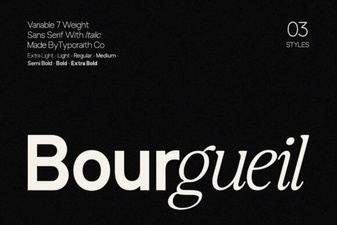
For a more elegant condensed serif that still holds its own on apparel, Bourgueil offers a refined contrast without feeling out of place. And when a project calls for a playful, adventurous edge – perhaps on kids’ clothing or outdoor‑themed merchandise – the slightly looser structure of Adventure adds a different kind of energy.
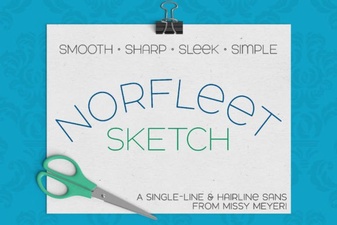
If engraving, foil quill, or single‑stroke designs are part of your workflow, you might already know that not every bold font works for thin‑line processes. In those cases, Norfleet Sketch functions as a single‑line companion – use it for delicate outlines around a Sunflower headline to create layered looks that still weed cleanly.
What should I check before downloading a display font?
Even when a font looks perfect in the preview, a quick verification can save you time and frustration later. Here’s a simple checklist:
- License terms. Confirm the font is cleared for commercial use, POD, and digital products if that’s your plan. Sunflower includes a full commercial license, which covers most sellers’ needs.
- Character set. Open the glyph panel to see if the font supports all the punctuation, numerals, and accents your text requires.
- Spacing and kerning. Type out a few test words at your intended size. Condensed fonts can sometimes need slight manual kerning for very large formats, though Sunflower is consistently spaced.
- Software compatibility. Load the OTF or TTF file into your design program – Adobe Illustrator, Affinity Designer, Silhouette Studio, or Cricut Design Space – and run a small test cut or print to catch any surprises.
- Alternative characters. Many Creative Fabrica fonts include stylistic alternates. Check if Sunflower offers any that can add variety to your lock‑ups.
Once you’ve checked those boxes, dive into a small project first – maybe a sticker sheet or a one‑colour poster – to see how the font feels in your own workflow. That hands‑on test often reveals fresh ways to use the typeface that no preview image can show.
Download Now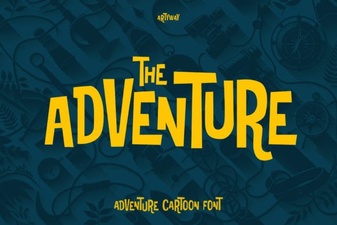 Adventure Fonts: Creative Typography for Bold Designs
 Bourgueil Font: Creative Typography for Elegant Design Projects
 Norfleet Sketch Single Line Font: Design Inspiration
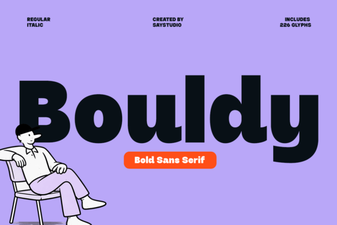 Bouldy Font: Chunky Serif for Eye-Catching Headlines
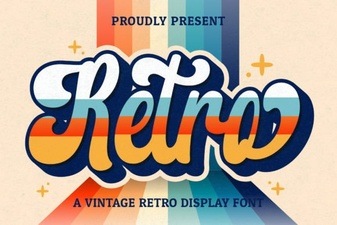 Retro Script Fonts: Add Classic Charm to Your Designs
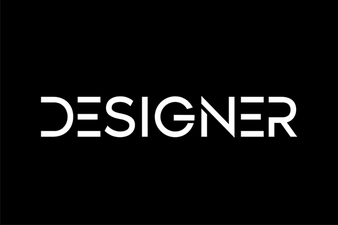 Inspire Creativity with Stunning Designer Fonts